
Product Updates: New Hotel Guest Directory Now Live!

We’re continuously improving HotelBuddy to help you deliver a smoother, more intuitive guest experience while reducing front desk workload. Our latest product updates focus on making essential guest information easier to access and communication with reception more flexible.
In this update, we’re introducing the new Hotel Guest Directory along with a dedicated Call button. Both features are designed to give guests faster access to what they need, in the way they prefer, while giving hotels more control over their digital guest journey.
New Hotel Guest Directory
The new Hotel Guest Directory is now live and ready to activate in your admin panel. This upgrade offers a cleaner layout, faster navigation, and full customization, making it easier for guests to find everything they need in just a few taps.
Getting started:
Set up your content: Create your own categories or choose from our ready-made templates. To use the templates click on the template → Use template → Save

Customize the look and feel: Adjust text and icons to match your hotel’s tone and brand. The editor supports basic text formatting, including bold, underline, and adding links to menus or external webpages. You can also add content in multiple languages.
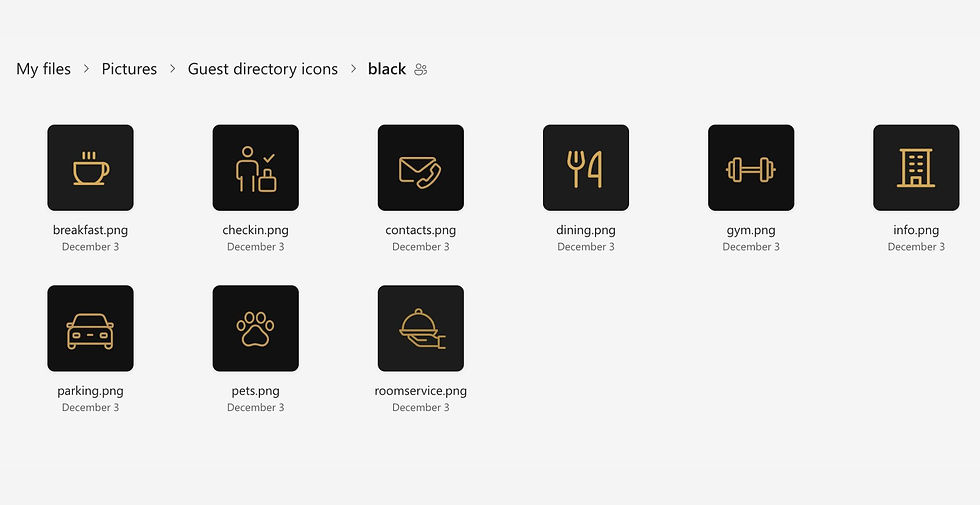
Choose from our preset icons with gold, black, or grey backgrounds, available in the Guest directory icon library, or upload your own icons in a completely custom style.
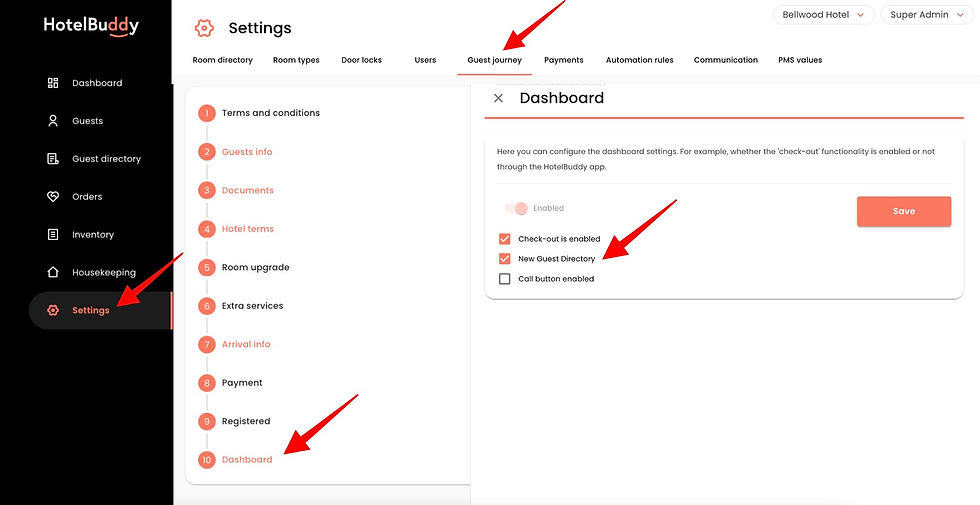
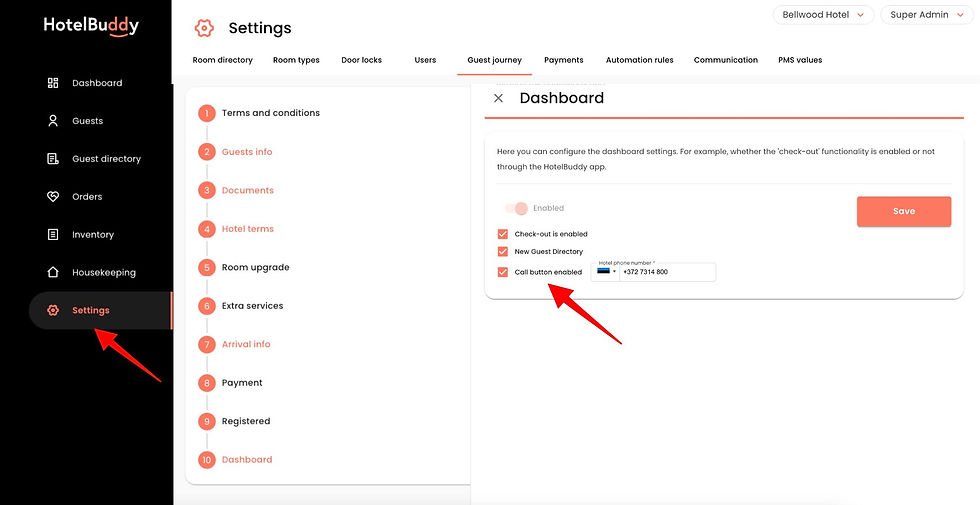
When everything looks right, activate the new Guest Directory by going to: HotelBuddy admin → Settings → Guest journey → Dashboard → New Guest Directory
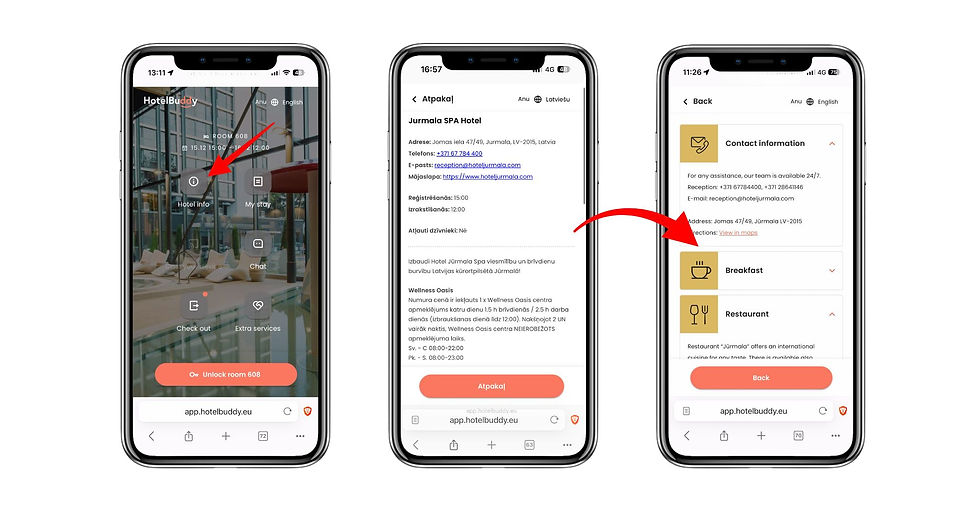
Automatic replacement of the Hotel Info view: Once you activate the new Guest Directory, it will automatically replace the previous Hotel Info view on the guest dashboard, giving guests an improved experience immediately.
New Call Button
Based on feedback from several hotels, we’ve added a dedicated Call us button to the guest dashboard. This makes it easy for guests who prefer calling over chatting to reach the reception desk directly.
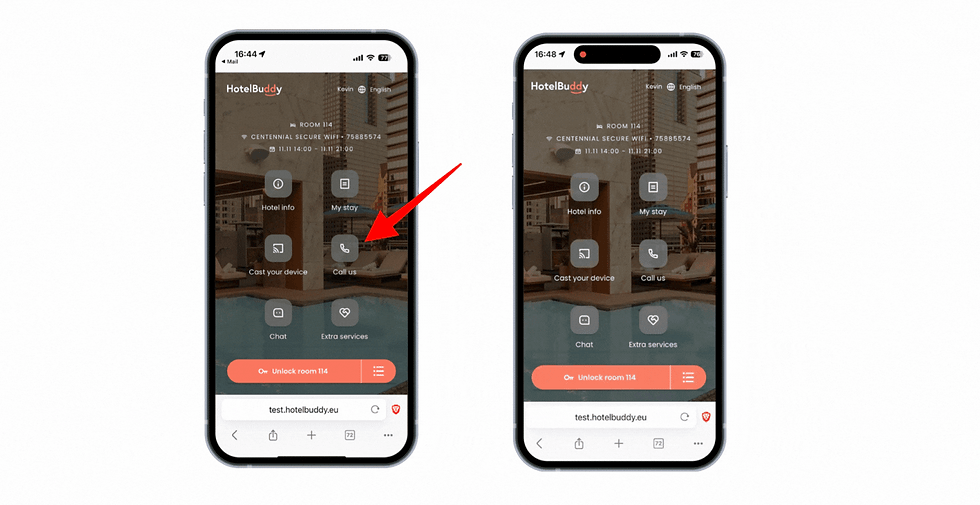
To enable the Call Us button, go to: HotelBuddy admin → Settings → Guest journey → Dashboard → Call button enabled and add your front desk phone number.
Soon, you’ll also be able to change the order of dashboard buttons and show or hide features, so you only display the services available at your hotel.
Not Using HotelBuddy Yet?
If you’d like to offer a free digital guest directory to your guests, simply sign up for HotelBuddy Lite, and we’ll help you get started.
HotelBuddy Lite is a free web-based platform that allows hotels, guesthouses, and apartments to create a digital guest directory in minutes, with no PMS integrations required.
With HotelBuddy Lite, you can share essential information such as check-in details, breakfast hours, and parking information via a URL or QR code. Everything is accessible directly in your guests’ mobile browsers. No apps, no downloads. It is a simple and free way to offer a modern digital guest directory with optional add-ons as your needs grow.
Add-on modules available for HotelBuddy Lite:
Extra services webshop
AI Chat - your hotel's virtual receptionist
Call Us button

If you have questions or would like help setting things up, feel free to reach out at support@hotelbuddy.eu. Whether you’re already using HotelBuddy or just looking into it, our team is happy to walk you through the new Guest Directory and Call button, or help you understand what would work best for your hotel!


